- Airbnb
- Short-term rental
- GDPR-compliant
Guest codes
not key safes.
No waiting at the gate, no key handovers, and no lock change because someone took your key home to Vienna. The code is valid for the booking and expires by itself after check-out.
Every host knows this list.
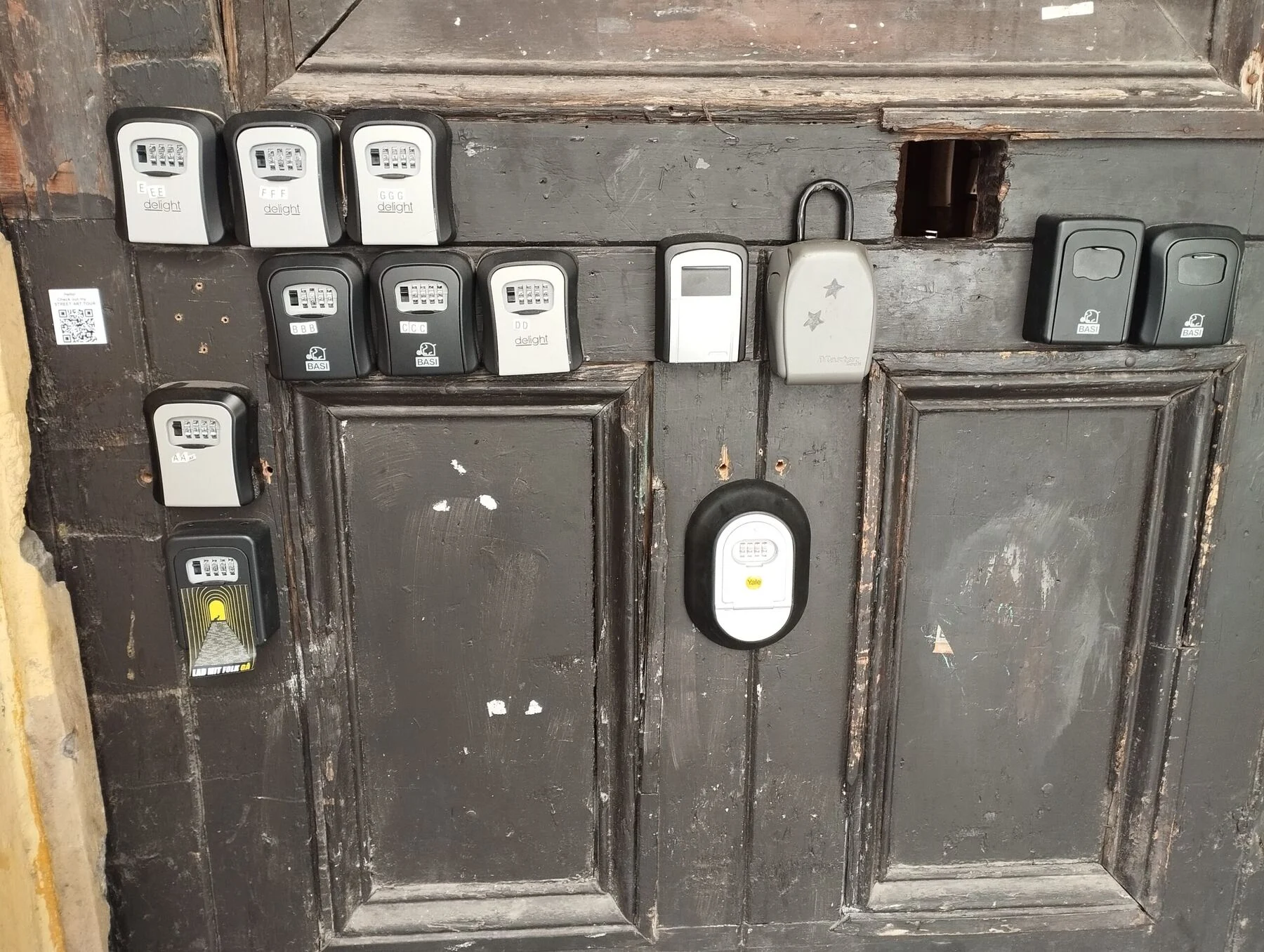
A key safe on the gate
A rusty box on the façade with your flat key inside. Break it open and the flat is open.
Key handovers
Either you drive over or you pay someone who does. Every booking, twice.
Late check-in
The flight lands at two in the morning. Either you stay up or your guest cannot get in.
Lost keys
The guest takes the key home. Posting, replacing – and meanwhile a stranger holds your flat key.
Lock changes
When a key really disappears, copying is not enough – the lock has to go, at the worst possible time.
Cleaners and maintenance
A separate key for everyone, and no idea who was inside when.
Erzsébetváros: key safes removed.
District VII has become one of the centres of Airbnb rentals in Budapest. With that came the key safes – bolted onto gates, railings and façades in every size and colour, often rusted.
It is not only bad for the streetscape. The key sits in a box on the gate: break the box and the flat is accessible. To residents and tourists alike the district looks untidy and unsafe.
The answer is not another box – it is removing the key from the picture. Same door, same mechanism, but with guest codes, an access log and auto-locking.
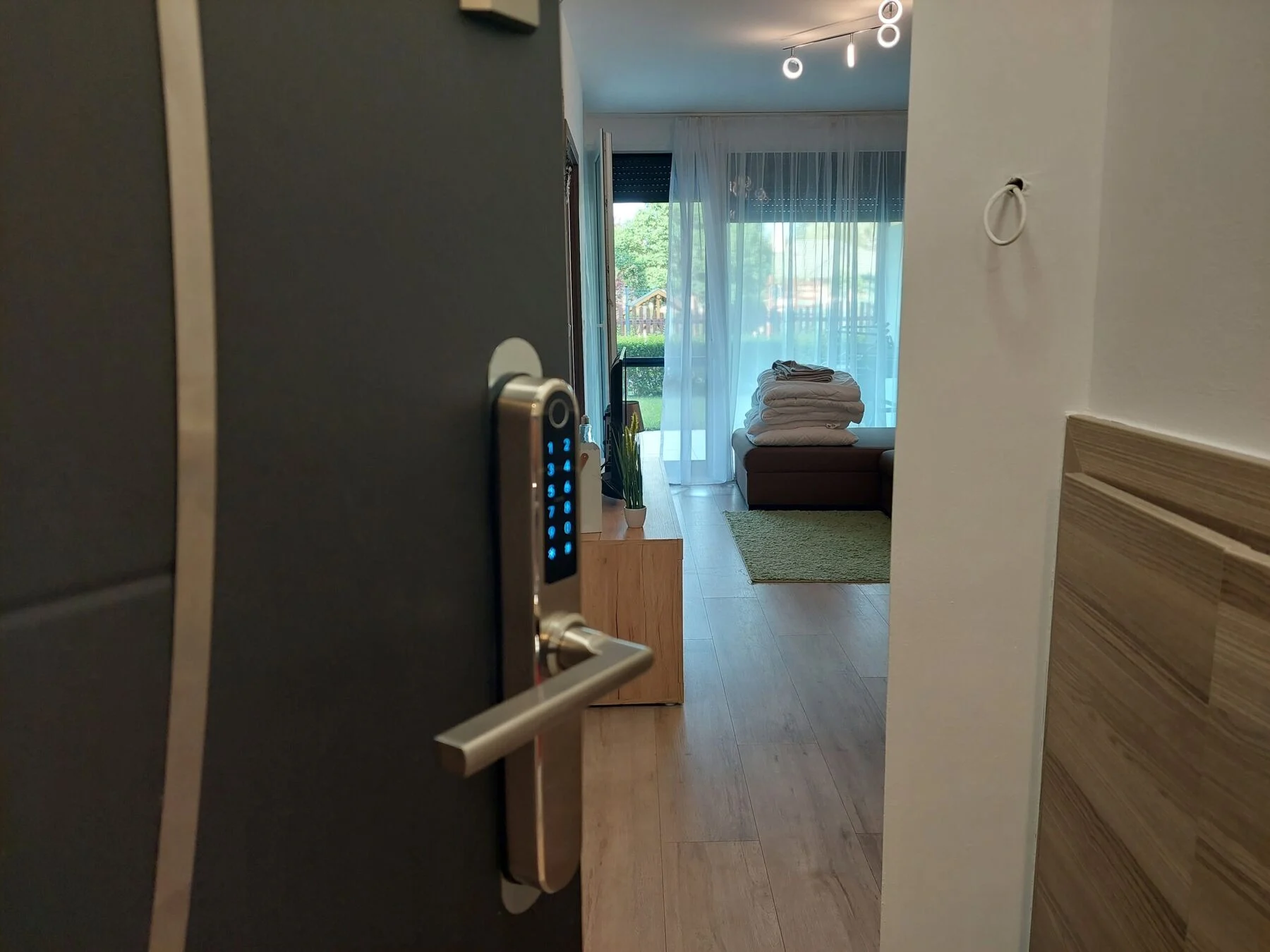
How it works with guests.
- 01
A timed code for the booking
A few taps in the TTLock app: it starts at check-in and ends at check-out. You send the code in a message.
- 02
It expires after check-out
Nothing to delete, nothing to remember. An expired code simply stops opening the door.
- 03
A recurring code or card for the cleaner
For example a code valid every Tuesday between 9:00 and 13:00 – or an IC card they touch to the lock. Revocable at any time.
- 04
Access log
The app time-stamps every unlock. You can see when the guest arrived and when the cleaner was there.
- 05
Remote unlocking with a gateway
If a guest gets stuck, you open the door from your phone with one tap – even from another country.
- 06
GDPR-compliant
Logging works with named digital keys, in line with the General Data Protection Regulation.
It takes a minute.
A screen recording from the TTLock app: generating a timed code for a guest, start to finish.
- 1Start and endTTLock app → Generate passcode → Custom. You set the window the code is valid for – typically check-in to check-out.
- 2NameYou name the code, for example after the guest. That is what shows up in the access log.
- 3CodeYou type the numeric code the guest will use.
- 4Save it“Set passcode”, and that is it. The code opens the door during that window and is invalid afterwards.
The recording has no sound – you are not missing any narration.
Everything went well with the installation. The colleagues worked quickly and cleanly and were willing to answer any questions.
Google reviews, August 2026
Keypad smart lock + gateway.
This is the combination we fit into most Budapest Airbnb flats. The keypad lock needs no fingerprints enrolled – you just hand out a code – and the gateway is what lets you issue those codes while you are nowhere near the flat.
A one-off cost and a single visit. Installation is a flat 35,000 HUF on every door type if the job is done within 2 hours; beyond that each started hour adds 9,500 HUF. Any parts a conversion needs are separate items.
Worked example – a flat in Budapest
| Item | Price |
|---|---|
| Keypad smart lock (silver) | 71,900 HUF |
| Installation – PVC / wooden door, within 2 hours | 35,000 HUF |
| Gateway – internet access (WiFi bridge) | 22,900 HUF |
| Travel – Budapest | 19,500 HUF |
| Total | 149,300 HUF |
Several flats, several doors?
For orders above 10 locks we give a discount – custom pricing agreed by phone.
No more cutting a key for every employee.
Give your staff a named digital key: a few taps to personalise it, the same few taps to delete it. No more “who gets a key”, no more “will they hand it back”, and no lock change when someone loses one.
- A named digital key, revocable at any time.
- The app logs every unlock – you know who is in and when.
- A usable alternative to expensive access-control systems.
- All of it in line with GDPR.
In an office, with clean hands, the fingerprint smart lock is the most convenient: nothing to memorise. For physical work, where hands may be dirty or damaged, codes and cards work better – that is what the keypad lock is for.
Host questions.
As a host, how do I give a guest a code?
In the TTLock app you generate a timed code for the booking period in a few taps and send it to the guest. After check-out the code expires by itself. Cleaners and maintenance get their own recurring code or card, and the log shows who came in and when.
What is the gateway (internet access), and do I need one?
Gateway – internet access (WiFi bridge): a small WiFi bridge. The gateway connects the lock to the internet: remote unlocking, online code generation, an access log from anywhere. Without it, Bluetooth only, from 2–3 metres. If you want to unlock remotely, generate guest codes online or check the access log from anywhere, you need the gateway (22,900 HUF). One gateway serves every lock within 3 metres.
How many doors?
Send a photo of the door – we price each flat itemised, and fit several flats in one visit.